OpenFlextight Alpha Programme

Retire the old Mac Pro. Scan film on Windows 11 and modern Macs.

Popular third party scanning apps never supported Imacon or Hasselblad Flextight scanners, leaving photographers and labs stuck maintaining ageing computers just to run FlexColor. OpenFlextight brings your scanner straight to modern Windows, Mac and Linux machines and saves full detail 3F and TIFF files.

FLEXTIGHT 848 / X5 8000 PPI HOLDER: 6x7 120LAMP & SENSOR READY
ARCHIVAL 3F & TIFF RICH SHADOW DETAILMAC, WINDOWS & LINUX
Archival 3F & TIFF Captures crisp film grain and shadow detail up to 8000 PPI
Windows 11 & Modern Mac Direct FireWire card on PC or simple network link to any Mac
Flextight & Eversmart Supports 343, 646, 848, X1, X5, Precision and Kodak iQsmart

Software Tour

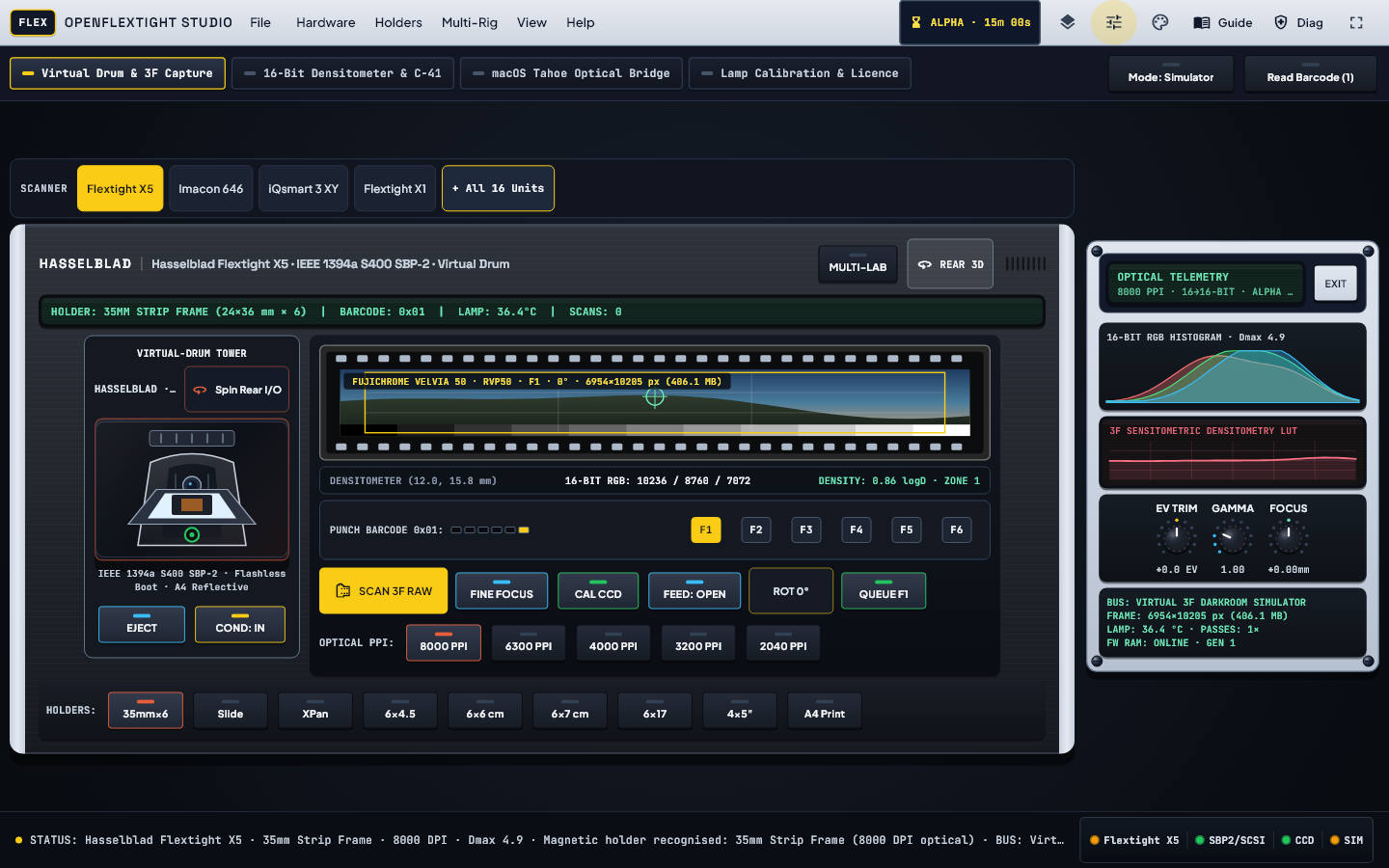
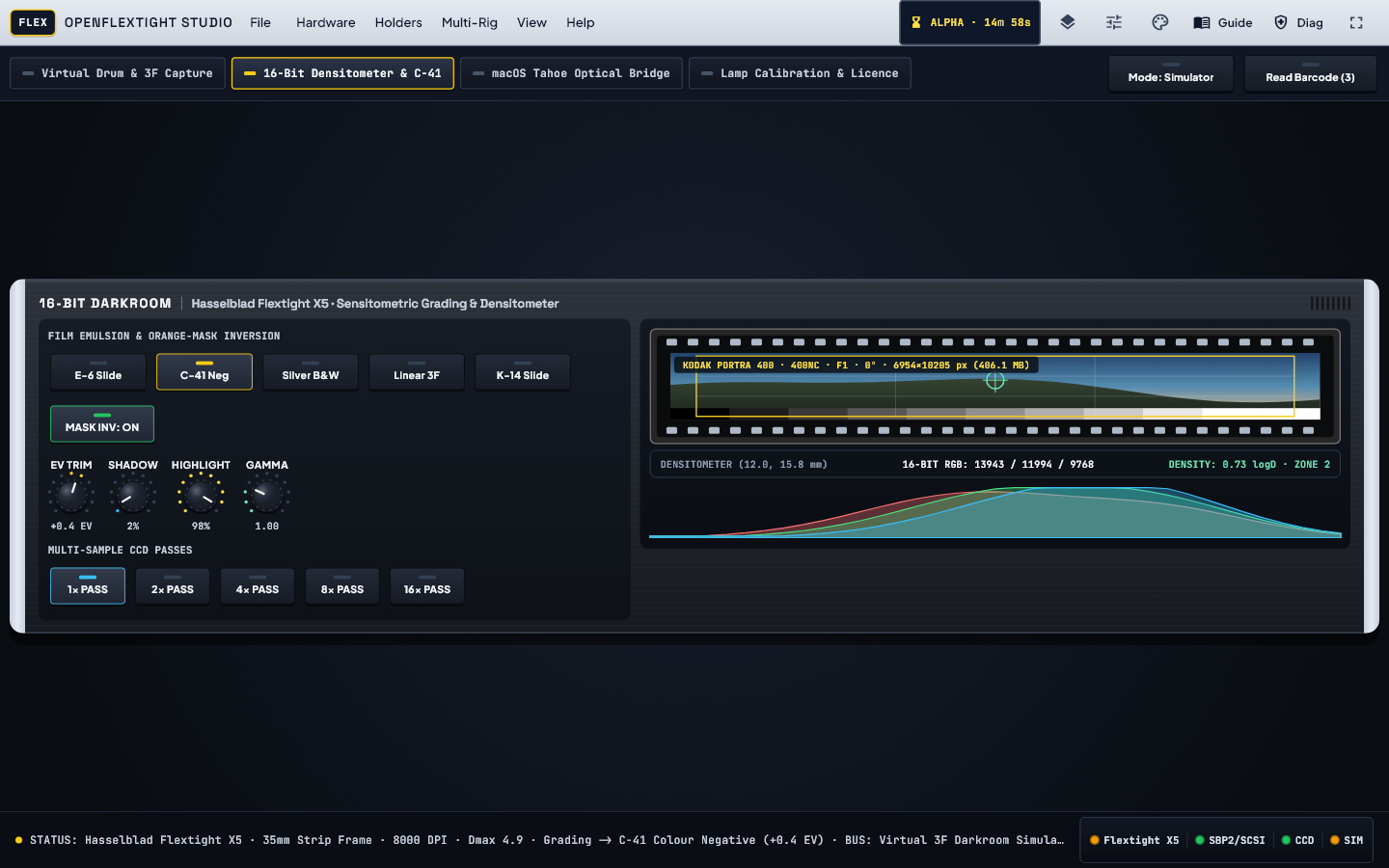
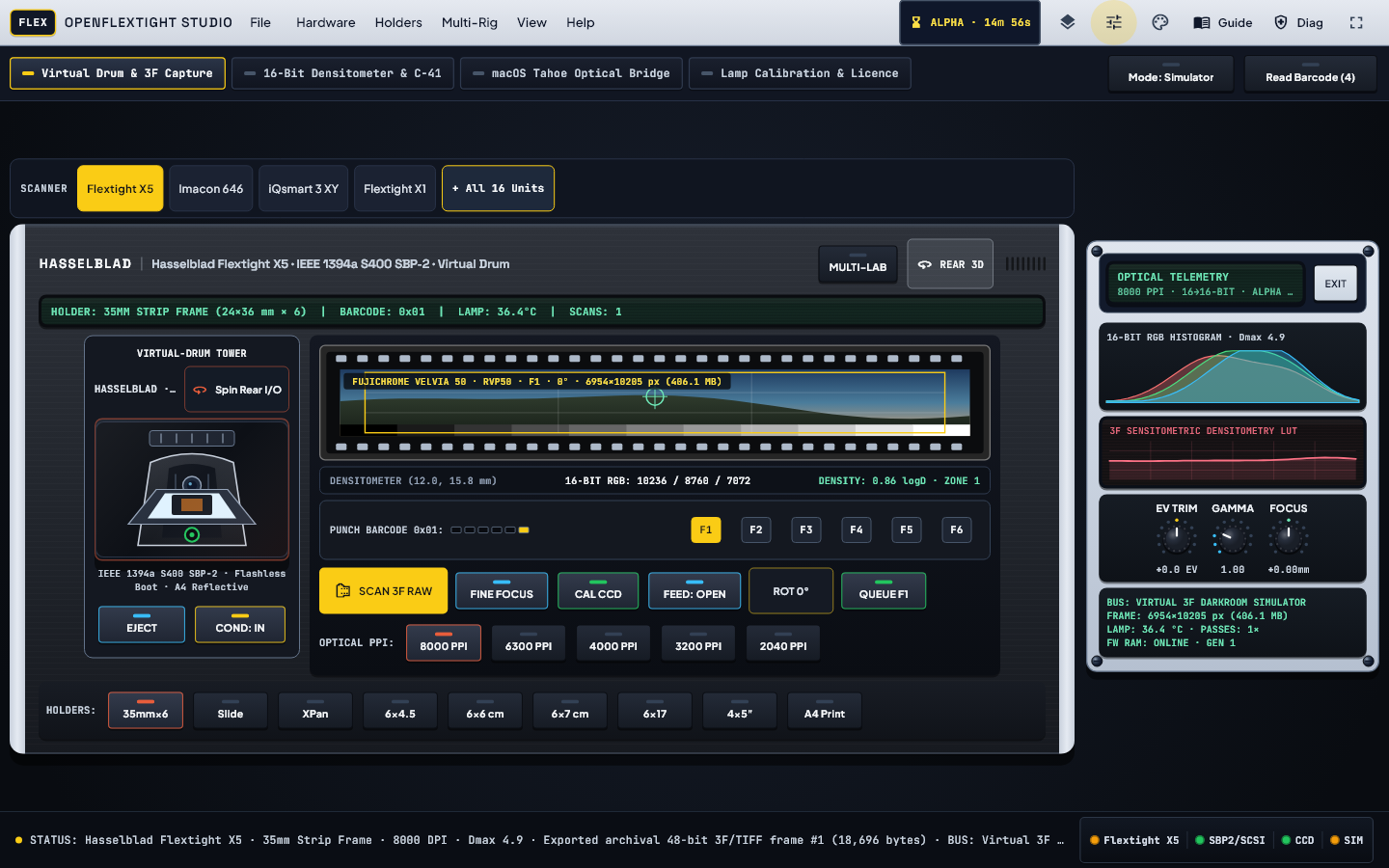
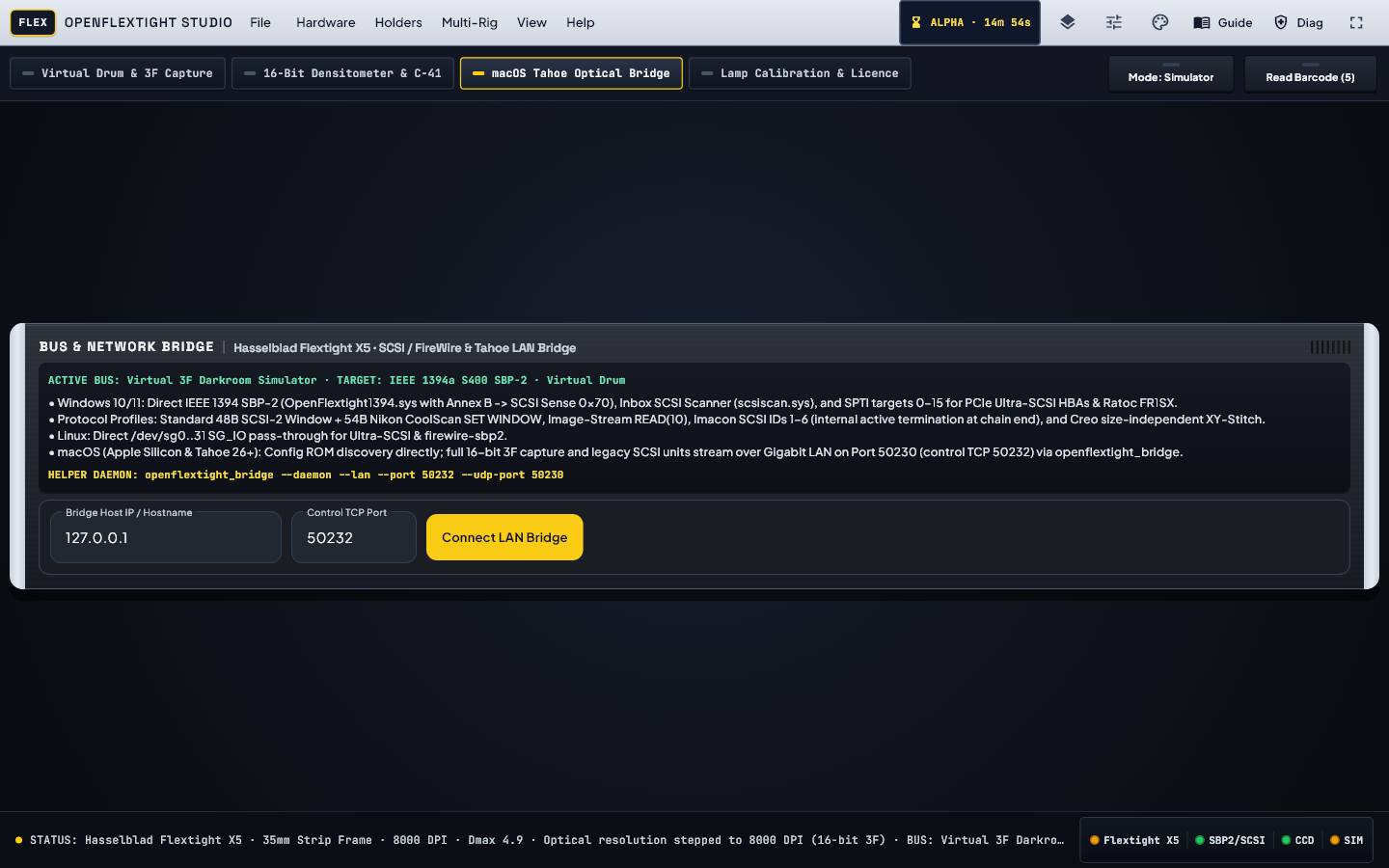
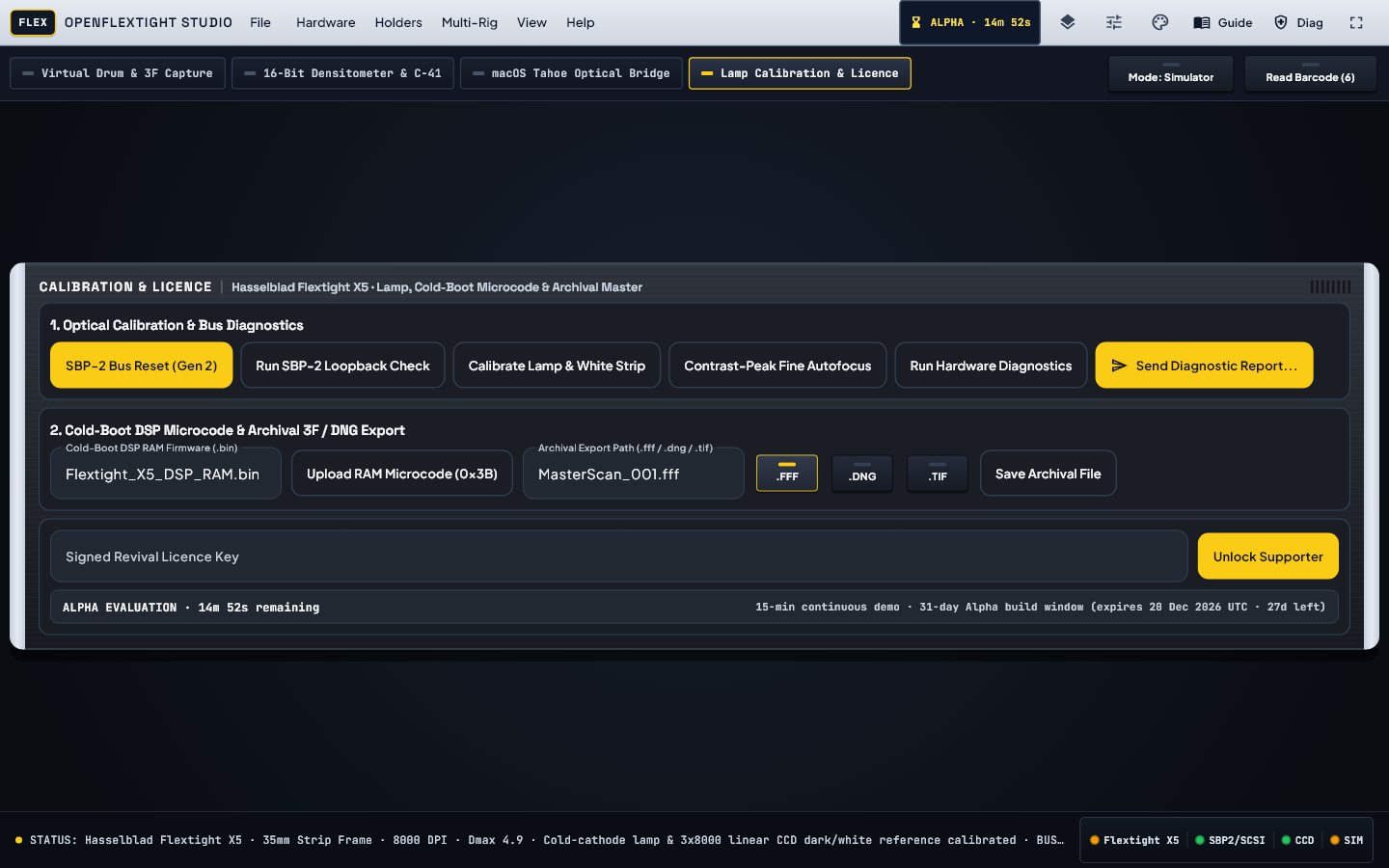
Inside OpenFlextight Studio

A clear desktop companion styled after your hardware, built for Windows 11, Apple Silicon and macOS Tahoe using a direct FireWire cable or a normal home network cable.

Hardware Compatibility

Supported OpenFlextight devices

Every model listed below works across Windows 10 and 11, Apple Silicon Macs and macOS Tahoe. Own one of these units? Run our quick hardware check tool to share your model details with us.

Scanner ModelDevice IdentifierMax 35mm DetailMedium / Large DetailFilm & Format NotesStatus
Hasselblad Flextight X5 1394\HASSELBLAD&FLEXTIGHT_X5 8000 PPI 3200 PPI Dmax 4.9 · 8000 PPI for 35mm, 3200 PPI for 120 and 2040 PPI for 4x5 film Ready to Test
Hasselblad Flextight X1 1394\HASSELBLAD&FLEXTIGHT_X1 6300 PPI 3200 PPI Dmax 4.9 · 6300 PPI for 35mm, 3200 PPI for 120 and 2040 PPI for 4x5 · Archival 3F files Ready to Test
Imacon / Hasselblad Flextight 949 / 848 1394\IMACON&FLEXTIGHT_848 8000 PPI 3200 PPI Dmax 4.8 · 8000 PPI glassless film path with automatic zoom and focus Ready to Test
Imacon Flextight 646 1394\IMACON&FLEXTIGHT_646 6300 PPI 3200 PPI Dmax 4.6 · Scans 35mm, 120 and 4x5 film as well as A4 prints Ready to Test
Imacon Flextight 343 1394\IMACON&FLEXTIGHT_343 3200 PPI 3200 PPI Dmax 4.6 · Compact desktop film scanner for 35mm and medium format up to 6x18 cm Ready to Test
Imacon Precision II / Precision III / Photo 1394\SBP2_RATOC_FR1SX / ULTRA_SCSI 5760 PPI 3200 PPI Dmax 4.2 · Works over FireWire to SCSI adapters with automatic startup setup Ready to Test
Creo / Kodak Eversmart Supreme & iQsmart 1/2/3 1394\CREO&IQSMART3 5500 PPI 2540 PPI Dmax 4.3 · Large bed film scanner support replacing the old oXYgen software Ready to Test
Nikon Super CoolScan 9000 ED / 8000 ED 1394\NIKON&SUPER_COOLSCAN_9000_ED (OUI 0x00004C) 4000 PPI 4000 PPI Dmax 4.8 · 4000 PPI 35mm and 120/220 medium format scanning with Digital ICE4 infrared channel Ready to Test
Nikon Super CoolScan 4000 ED 1394\NIKON&SUPER_COOLSCAN_4000_ED (OUI 0x00004C) 4000 PPI 4000 PPI Dmax 4.2 · Dedicated 4000 PPI 35mm FireWire strip, slide and roll scanner with Digital ICE4 Ready to Test
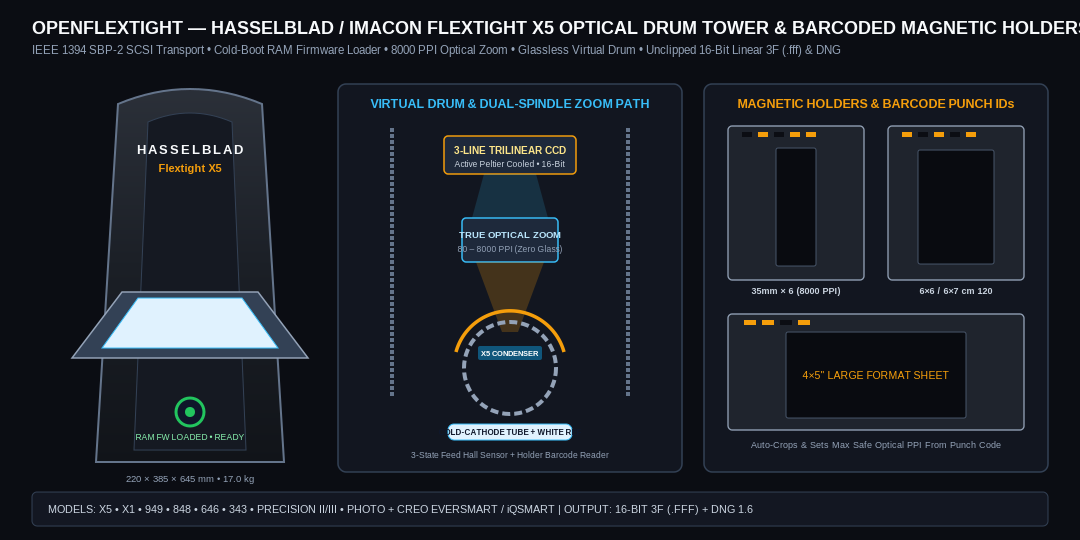
Hasselblad Flextight X5 optical tower, curved film feed table and magnetic film holders

Own one of these units or belong to an owners’ group?

Run openflextight_bridge --probe-hardware > probe.json from the Alpha download and email the file to vanillabrand@gmail.com so we can fine tune support for your exact unit.

Join Hardware Alpha

Video Walkthrough

OpenFlextight Studio in action

Watch a guided tour of OpenFlextight Studio with every workspace tab, hardware control, Mac network link, colour look and connection check explained step by step.

Setup Guide

How to install and test

Alpha builds use free local test signing on Windows and Mac while we fund official certificates, and each test session runs for 15 minutes at a time. Please install only on spare test computers — never on your main work computer or on any PC with BitLocker enabled.

01 / WINDOWS SETUP

Windows 10 and 11

Run the Guided Windows Setup (OpenFlextight-Windows-x64-Alpha-Setup.exe, recommended) or unzip the portable download on a spare test PC without BitLocker.

  1. Click Yes if Windows asks for administrator permission.
  2. Let the setup assistant finish and open OpenFlextight Studio.
02 / MAC SETUP

Mac (Catalina to Sequoia)

Installs cleanly on Apple Silicon and Intel Macs without changing Mac security settings.

  1. Run the local installer package.
  2. Open OpenFlextight Studio and choose your hardware inside your recording or photo app.
03 / MAC TAHOE

Mac (Tahoe and newer)

Works smoothly on macOS Tahoe using a direct FireWire cable or a normal home network cable.

  1. Connect directly or enter the address of your helper computer in the Tahoe tab.
  2. Enjoy responsive studio audio and hardware controls straight away.
04 / TRY WITHOUT HARDWARE

Built In Simulator

Open OpenFlextight Studio even before plugging in your hardware to explore every control, routing screen, colour look and health check.

What Is New

Latest Alpha release notes

Here is a plain summary of what is included in the newest OpenFlextight Alpha download and how the installer looks after your computer.

OpenFlextight Studio — Latest Alpha Update

Guided Windows Installer (OpenFlextight-Windows-x64-Alpha-Setup.exe) & macOS Universal2 Installer (OpenFlextight-macOS-Universal2-ALPHA.pkg).

Brings Hasselblad Flextight X5 and X1, Imacon 949, 848, 646, 343, Precision II and III, and Kodak iQsmart and Eversmart film scanners back to life with dual SBP-2/STI driver installation, bespoke installer/web icons, zero-flash DWM dark startup, silent probing, multi-lab Mini Device Status LED panels, extruded 3D spinnable scanner views, Getting Started User Guide, and unified Diagnostics reporting.

Unlock Alpha Downloads
  • Fixes false PC/Mac OS clock-rollback lockouts and unlocks valid signed Ed25519 alpha/beta/prod keys across Open01X and all Revival suites (OpenDICE, OpenRane, OpenFlextight, OpenTascam, Open003, TahoeFW)
  • Eliminates startup white frames (DWM dark cloaking), hides background probes & PowerShell windows, adds bespoke installer/web favicon artwork, multi-scanner Mini Device LED status bar, pill-free UI cleanup, momentary action buttons for 3F Capture & Rotation, extruded 3D spinnable Front <-> Rear lab hardware views, and unified Diagnostics Scan with 1-click Email Draft support.
  • Installs both OpenFlextight1394.inf and OpenFlextightSti.inf cleanly during Windows setup and adds interactive Driver & Bridge Diagnostics from the studio bar.
  • Adds smooth animated transitions across Flextight vertical drums, Creo XY flatbeds, and Nikon Super CoolScan CCD rigs with brushed steel realism.
  • Tightens IEEE 1394 SBP-2 login verification, Config ROM OUI discovery, 64 KiB DMA clamping, live 3F frame preview streaming, and TWAIN layout bounds.
  • Includes built-in SHA-256 verified Alpha update checks and clean upgrades that keep your saved film profiles safe.

Each Alpha test session runs for 15 minutes at a time (simply restart the app to carry on testing) and remains active until 25 Dec 2026. The installer automatically removes any older test versions first while keeping your saved settings.

Alpha Access

Sign up and download the Alpha

Register your hardware setup below to receive your FLEX-ALPHA-... login code and unlock Alpha builds. Registrations alert vanillabrand@gmail.com directly.

Alpha Downloads (15 minute builds)

Locked until you register or log in.

Download links for Windows (.exe or .zip), Mac (.tar.gz or .pkg) and Linux / Bridge notes unlock immediately after registration.

Back OpenFlextight

Donate $20.00 towards the full release

OpenFlextight is funded independently while we cover official Microsoft and Apple driver signing certificates. Every dollar you donate now comes 100% off your final full release price.

EARLY SUPPORTER PERKS

First access and full price discount

  • Priority hardware tuning: Supporters get priority help tuning their exact hardware model.
  • 100% credited off launch price: Your full donation is discounted straight off your unrestricted full licence.
STRIPE CHECKOUT

Choose your donation amount

Support

Report a bug or send hardware feedback

Testing an Alpha build or have a Device Manager hardware ID to share? Send a note below directly to vanillabrand@gmail.com.