Windows 10 and 11
Unzip the download and run the guided setup assistant on a spare test PC without BitLocker.
- Click Yes if Windows asks for administrator permission.
- Let the setup assistant finish and open OpenDICE Studio.
OpenDICE Alpha Programme
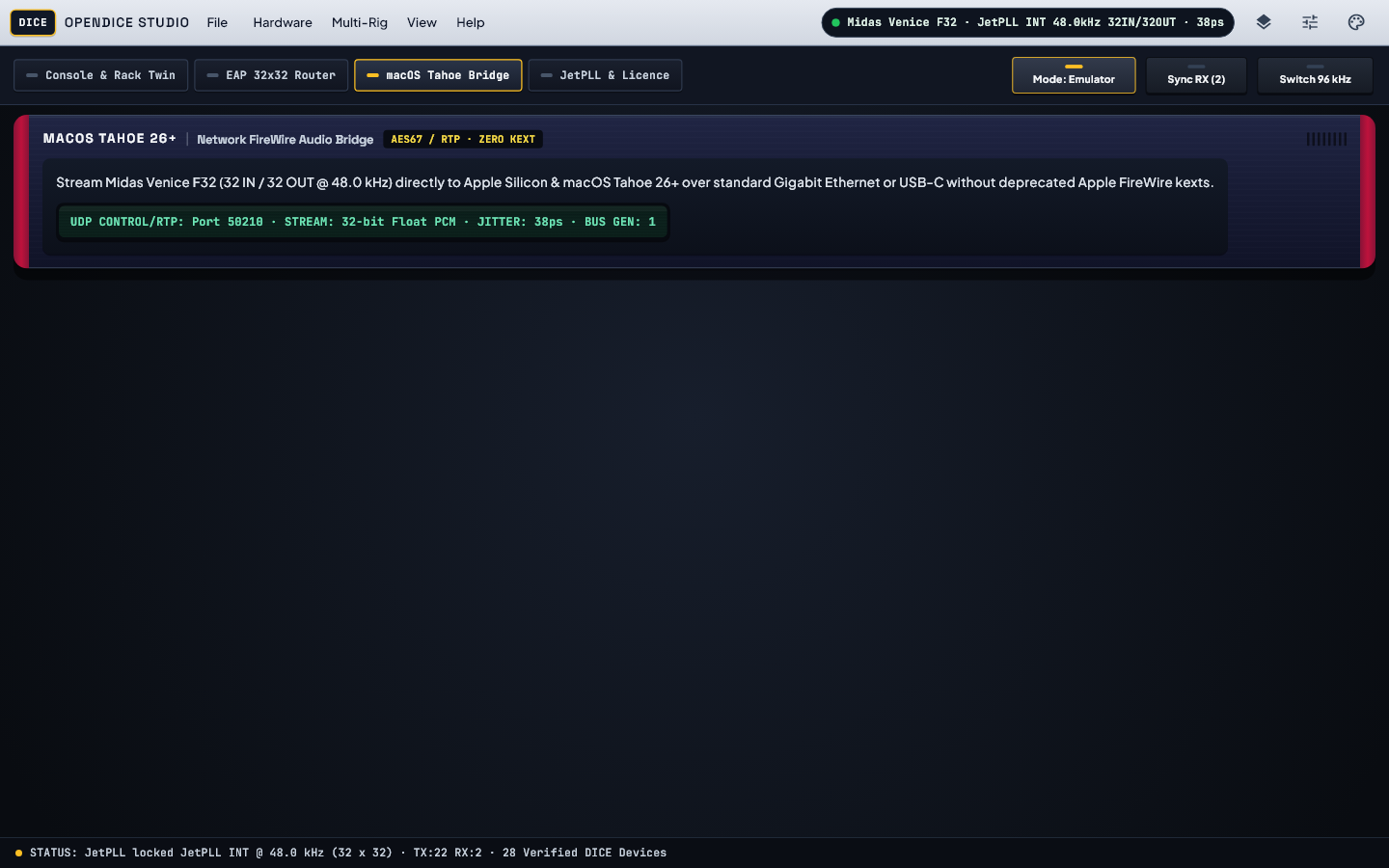
Older FireWire drivers often crash Windows 11 with blue screens, and newer Macs no longer include FireWire support at all. OpenDICE replaces discontinued control apps with stable modern audio software and an easy network link for Mac studios.
Software Tour
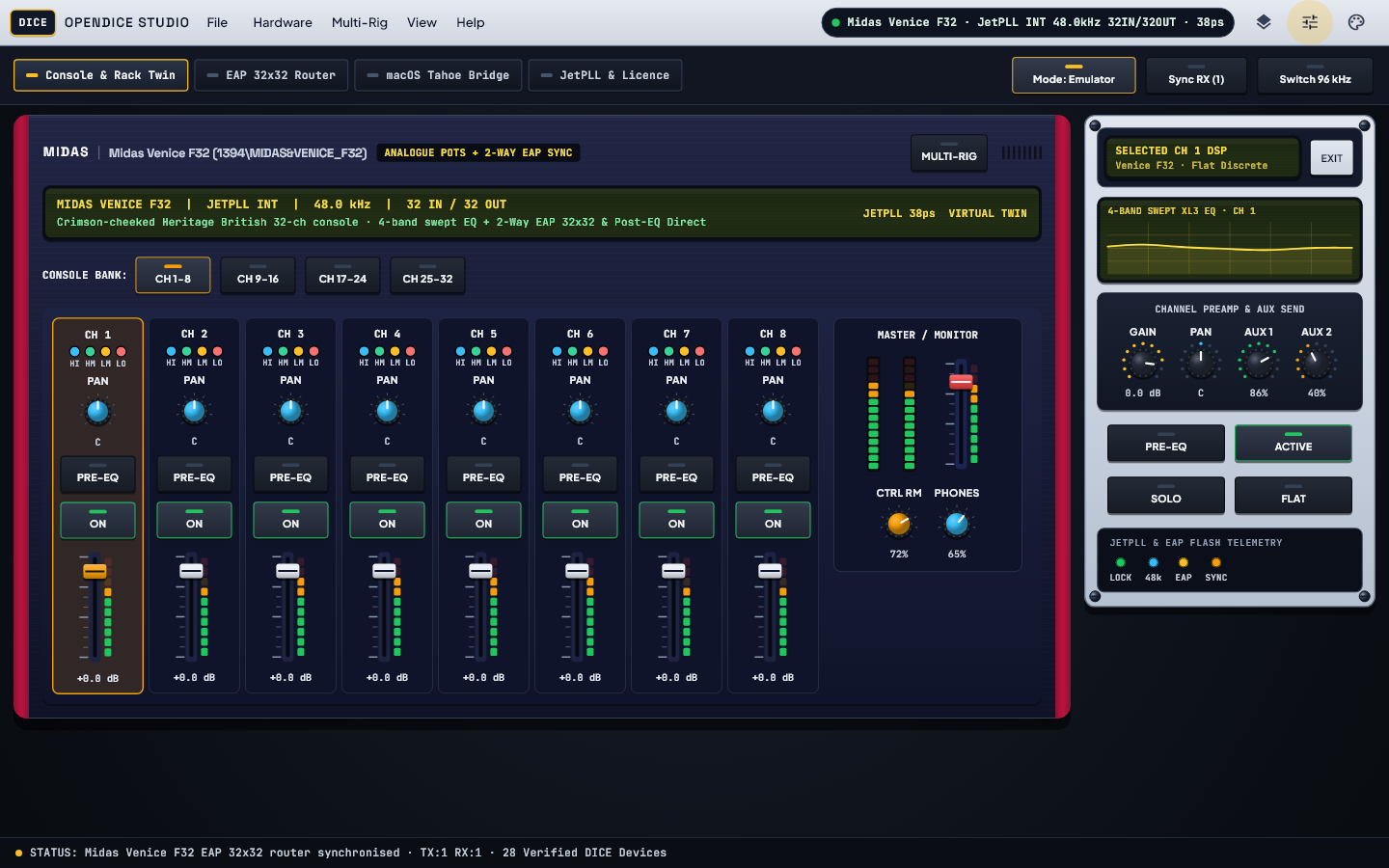
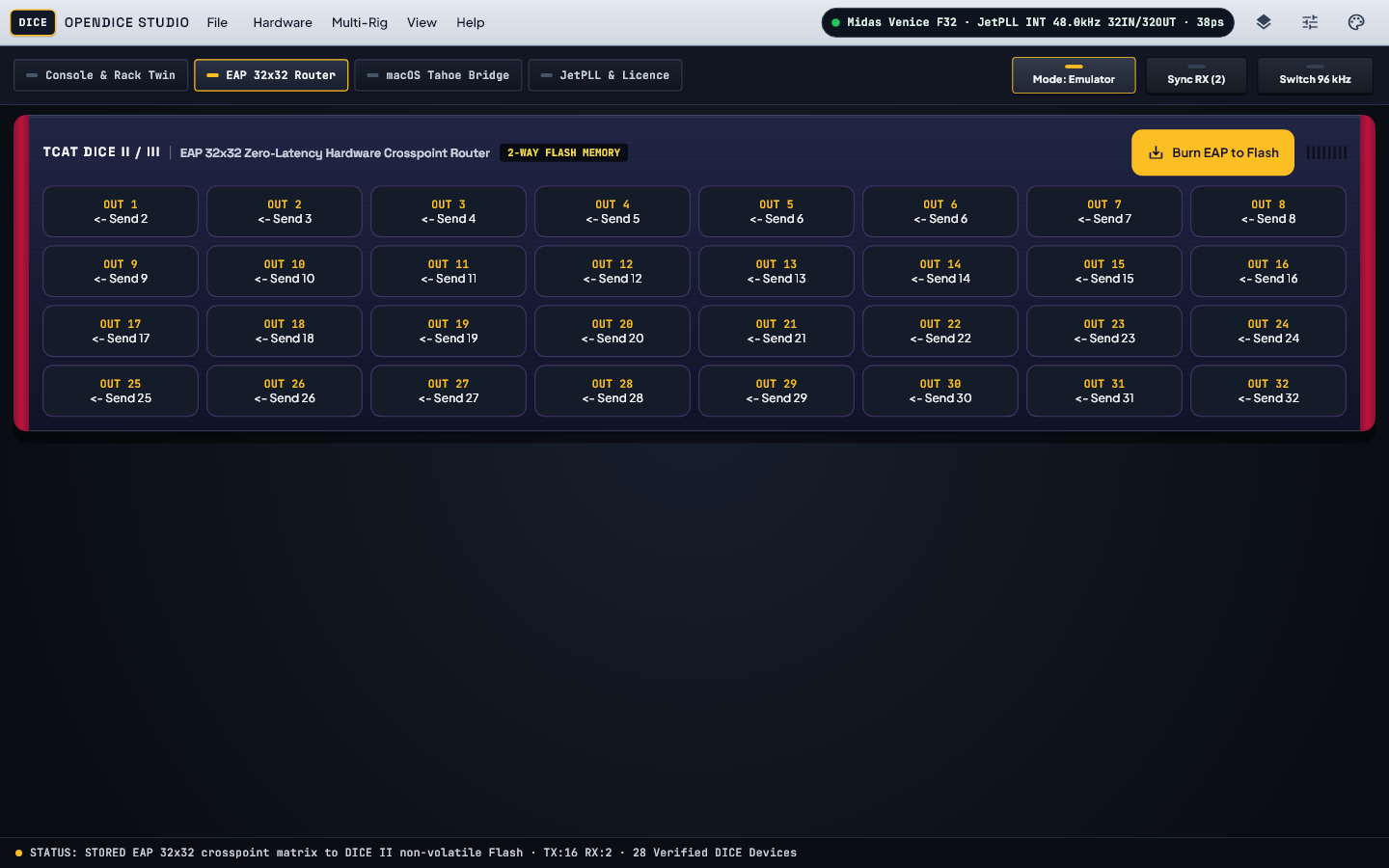
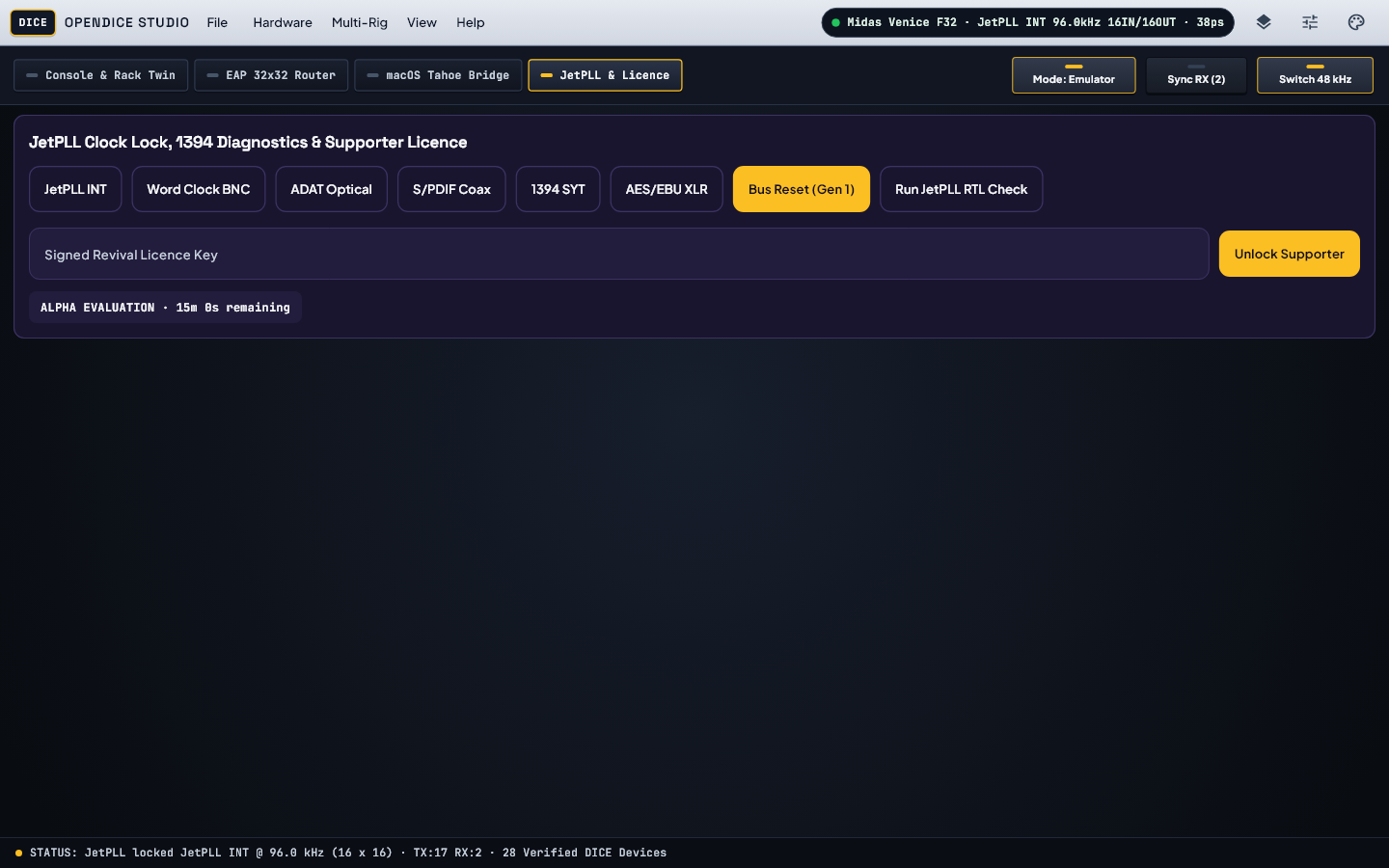
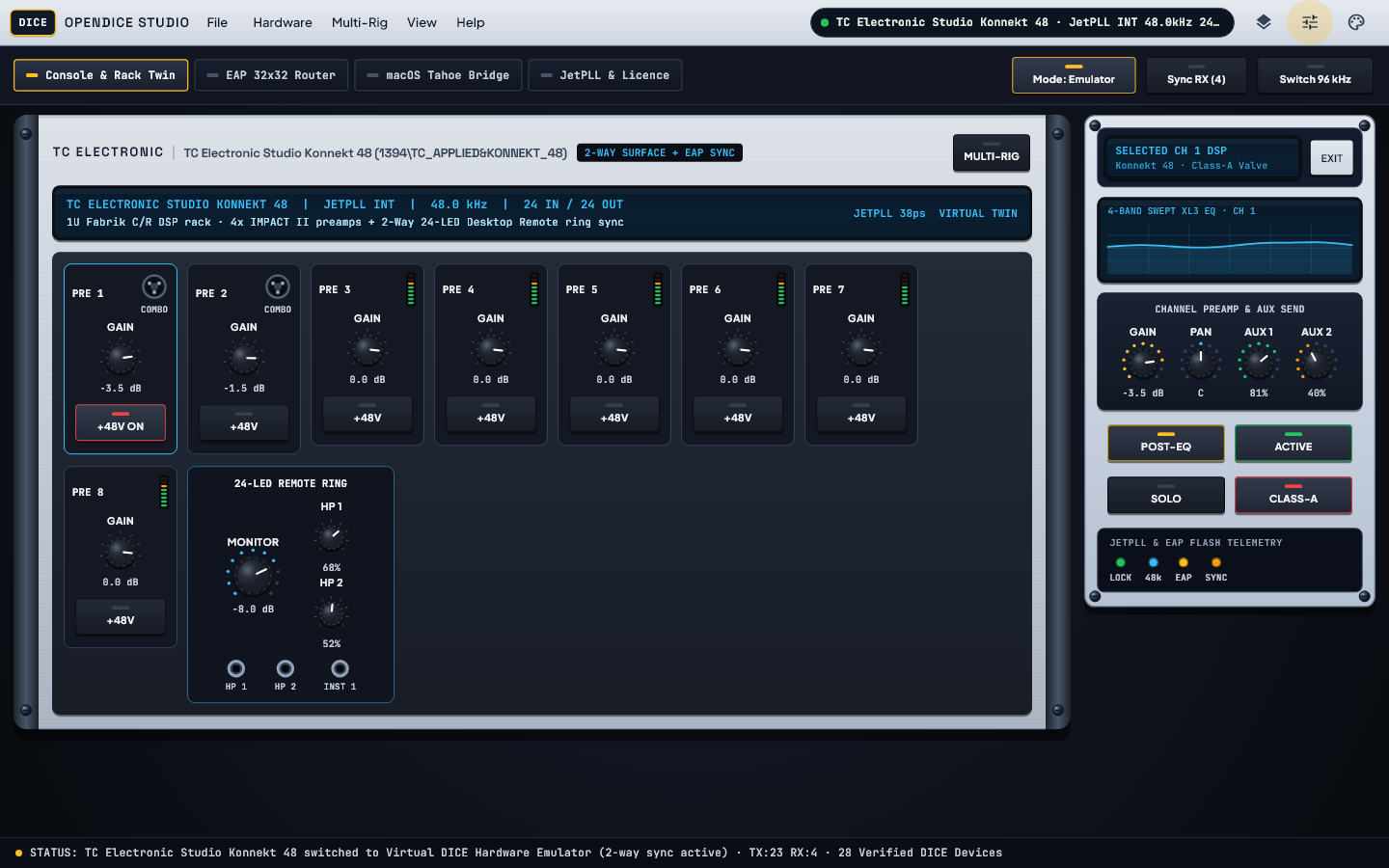
A clear desktop companion styled after your hardware, built for Windows 11, Apple Silicon and macOS Tahoe using a direct FireWire cable or a normal home network cable.
Hardware Compatibility
Every model listed below works across Windows 10 and 11, Apple Silicon Macs and macOS Tahoe. Own one of these units? Run our quick hardware check tool to share your model details with us.
| Hardware Model | Device Identifier | 44.1 / 48 kHz Audio | 88.2 / 96 kHz Audio | Controls & Features | Status |
|---|---|---|---|---|---|
| Midas Venice F32 / F24 / F16 | 1394\MIDAS&VENICE_F32 (OUI 0x001086) | 32 in / 32 out | 16 in / 16 out | 1 MIDI · Full 32 channel console sends and returns for live and studio recording | Ready to Test |
| Allen & Heath ZED-R16 | 1394\ALLEN_HEATH&ZED_R16 (OUI 0x0004C4) | 26 in / 26 out | 18 in / 18 out | 2 MIDI · 16 analogue channels plus optical digital ports and MIDI fader strips | Ready to Test |
| Focusrite Liquid Saffire 56 / PRO 40 / PRO 24 DSP / PRO 14 | 1394\FOCUSRITE&SAFFIRE_PRO40 (OUI 0x00130E) | 20 in / 20 out | 12 in / 12 out | 1 MIDI · Complete replacement for Saffire MixControl with smooth level meters | Ready to Test |
| PreSonus StudioLive 24.4.2 / 16.4.2 / 16.0.2 Classic | 1394\PRESONUS&STUDIOLIVE_2442 (OUI 0x000A92) | 32 in / 18 out | 44.1 / 48 kHz | 1 MIDI · Channel strip scene recall, monitor mixes and 32x18 multitrack audio | Ready to Test |
| Mackie Onyx 1640i / 1620i / 1220i / 820i & Blackbird | 1394\LOUD&ONYX_1640I (OUI 0x000FF2) | 16 in / 16 out | 16 in / 16 out | Studio Audio · Analogue desk channel recording with clean computer playback returns | Ready to Test |
| TC Electronic Studio Konnekt 48 / 24D / Desktop 6 / Impact Twin | 1394\TC_APPLIED&KONNEKT_48 (OUI 0x000166) | 24 in / 24 out | 16 in / 16 out | 1 MIDI · Desktop monitor mixer, speaker level control and onboard effects | Ready to Test |
| Weiss DAC202 / INT202 /INT203 / MAN301 Mastering | 1394\WEISS&DAC202 (OUI 0x001C6A) | 2 in / 2 out | 2 in / 2 out | Studio Audio · Pure stereo playback up to 192 kHz for mastering studios | Ready to Test |
| Mytek Stereo192-DSD-DAC & Lexicon I-ONIX FW810S | 1394\MYTEK&STEREO192 (OUI 0x00136D) | 2 in / 2 out | 2 in / 2 out | Studio Audio · High resolution 192 kHz stereo conversion with steady clock sync | Ready to Test |
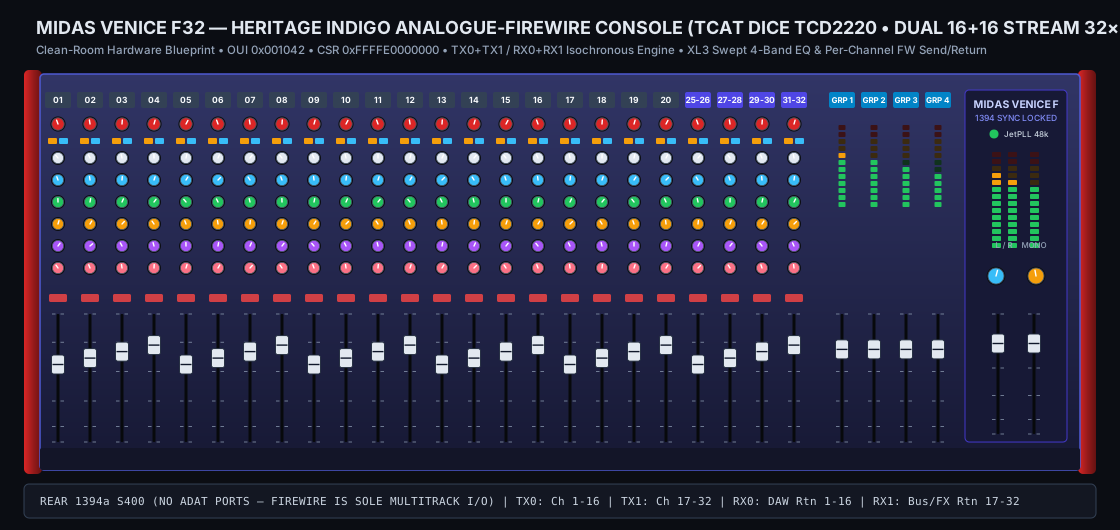
Run opendice_bridge --probe-hardware > probe.json from the Alpha download and email the file to vanillabrand@gmail.com so we can fine tune support for your exact unit.
Video Walkthrough
Watch a guided tour of OpenDICE Studio with every workspace tab, hardware control, Mac network link, colour look and connection check explained step by step.
Setup Guide
Alpha builds use free local test signing on Windows and Mac while we fund official certificates, and each test session runs for 15 minutes at a time. Please install only on spare test computers — never on your main work computer or on any PC with BitLocker enabled.
Unzip the download and run the guided setup assistant on a spare test PC without BitLocker.
Installs cleanly on Apple Silicon and Intel Macs without changing Mac security settings.
Works smoothly on macOS Tahoe using a direct FireWire cable or a normal home network cable.
Open OpenDICE Studio even before plugging in your hardware to explore every control, routing screen, colour look and health check.
What Is New
Here is a plain summary of what is included in the newest OpenDICE Alpha download and how the installer looks after your computer.
Brings classic FireWire studio mixers and converters back to life on modern Windows, Mac and Linux computers, now shipping signed Windows KMDF drivers, full 192 kHz macOS HAL layouts, live telemetry polling and built-in automatic updates.
Each Alpha test session runs for 15 minutes at a time (simply restart the app to carry on testing) and remains active until 22 Dec 2026. The installer automatically removes any older test versions first while keeping your saved settings.
Alpha Access
Register your hardware setup below to receive your DICE-ALPHA-... login code and unlock Alpha builds. Registrations alert vanillabrand@gmail.com directly.
Locked until you register or log in.
Download links for Windows (.exe or .zip), Mac (.tar.gz or .pkg) and Linux / Bridge notes unlock immediately after registration.
Includes OpenDICE-Windows-x64-Alpha.zip with modern Windows drivers, OpenDICE Studio desktop app and Simulator.
IMPORTANT WINDOWS ALPHA WARNING — READ BEFORE DOWNLOADING
Help us fund official Microsoft & Apple certificates: Every donation goes directly towards official Microsoft and Apple driver signing (100% comes off your final price).
Donate towards official signed drivers →Includes OpenDICE-macOS-Universal2-ALPHA.tar.gz, Mac audio and Tahoe network link helper, and OpenDICE Studio app.
IMPORTANT MAC ALPHA WARNING — READ BEFORE DOWNLOADING
Help us fund official Apple & Microsoft certificates: Every donation goes directly towards official Apple and Microsoft signing (100% comes off your final price).
Donate towards official signed drivers →Full Setup Guide, Raspberry Pi / Linux bridge scripts and hardware diagnostic notes.
Download Linux and Guide BundleBack OpenDICE
OpenDICE is funded independently while we cover official Microsoft and Apple driver signing certificates. Every dollar you donate now comes 100% off your final full release price.
Support
Testing an Alpha build or have a Device Manager hardware ID to share? Send a note below directly to vanillabrand@gmail.com.