Open003 Alpha Programme

Use your Digidesign 003 or 002 Console in every modern recording app.

Frees your 003 and 002 hardware from old computer limits so all 18 audio channels, moving faders, channel name displays and monitor controls work smoothly in Reaper, Logic, Cubase, Studio One, Ableton and Pro Tools.

DIGI 003 CONSOLE 18x18 AUDIO FADERS READY8 FADERS ONLINE
48.0 / 96.0 kHz CHANNEL SCREENS ACTIVEWINDOWS, MAC & LINUX
18 x 18 Audio + Optical Analogue, optical 8 channel and digital stereo unlocked
Moving Faders in Any App Use 003 faders and channel screens across all recording software
Windows 11 & Modern Mac Stable Windows 11 audio plus simple Mac network link

Software Tour

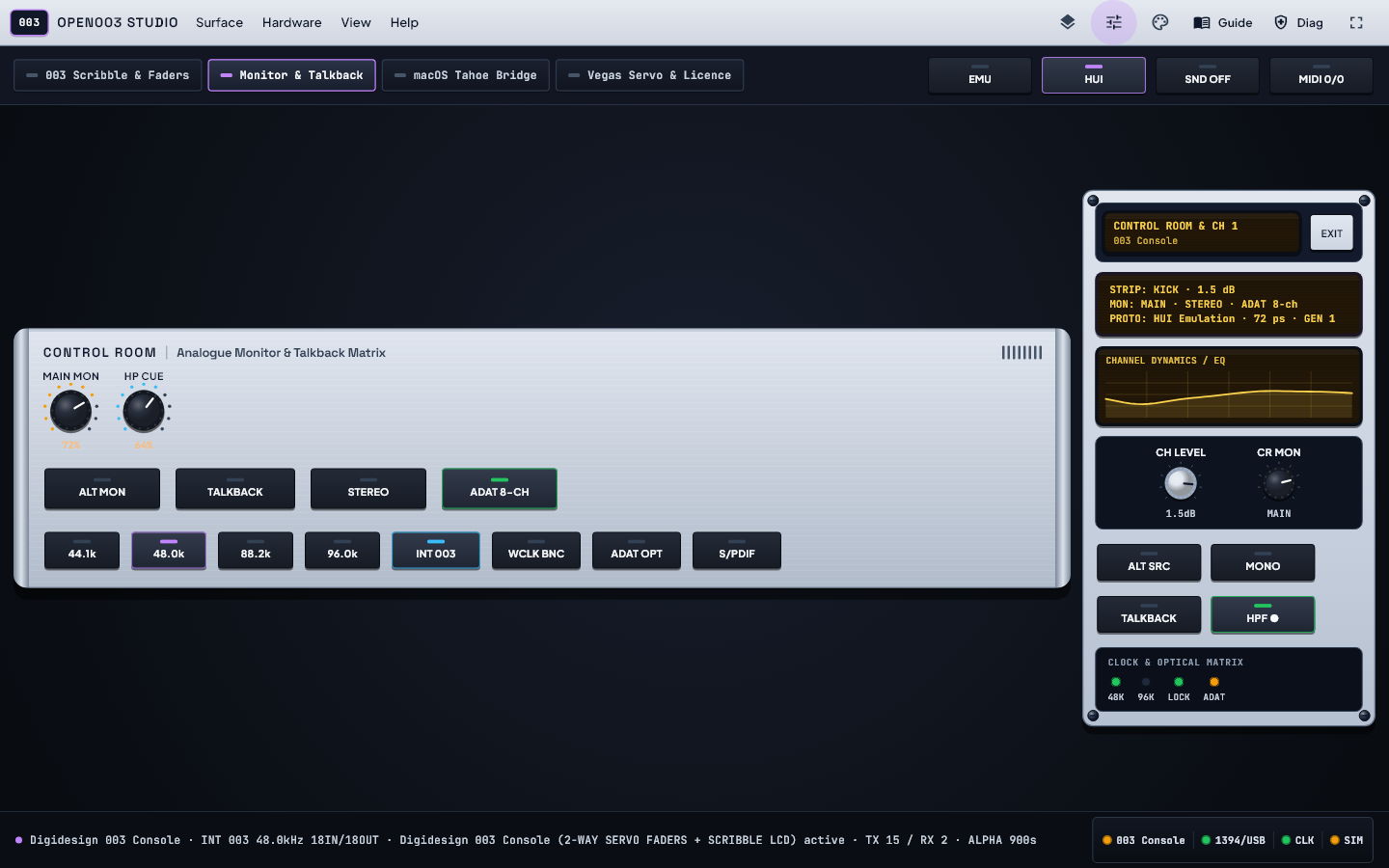
Inside Open003 Studio

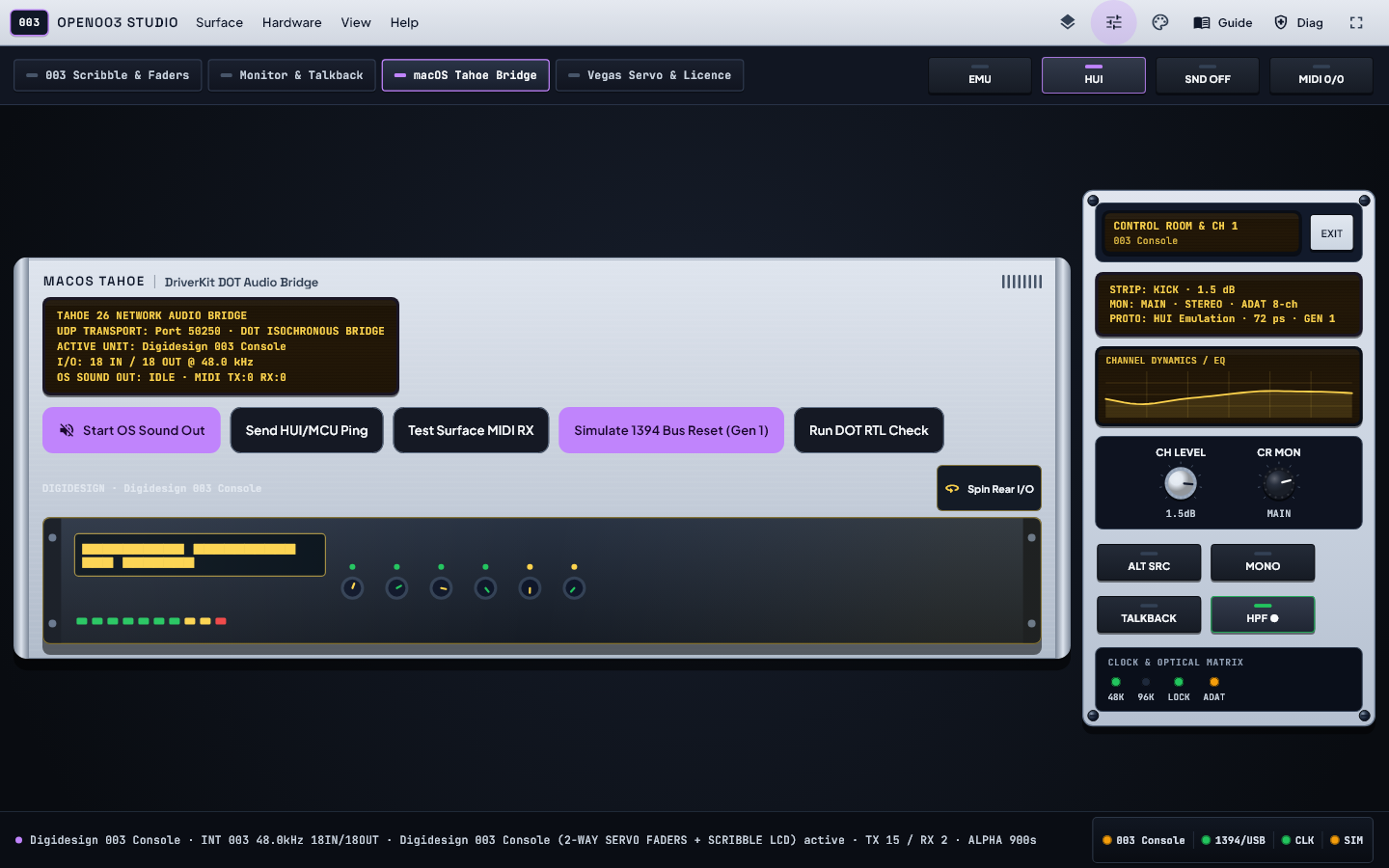
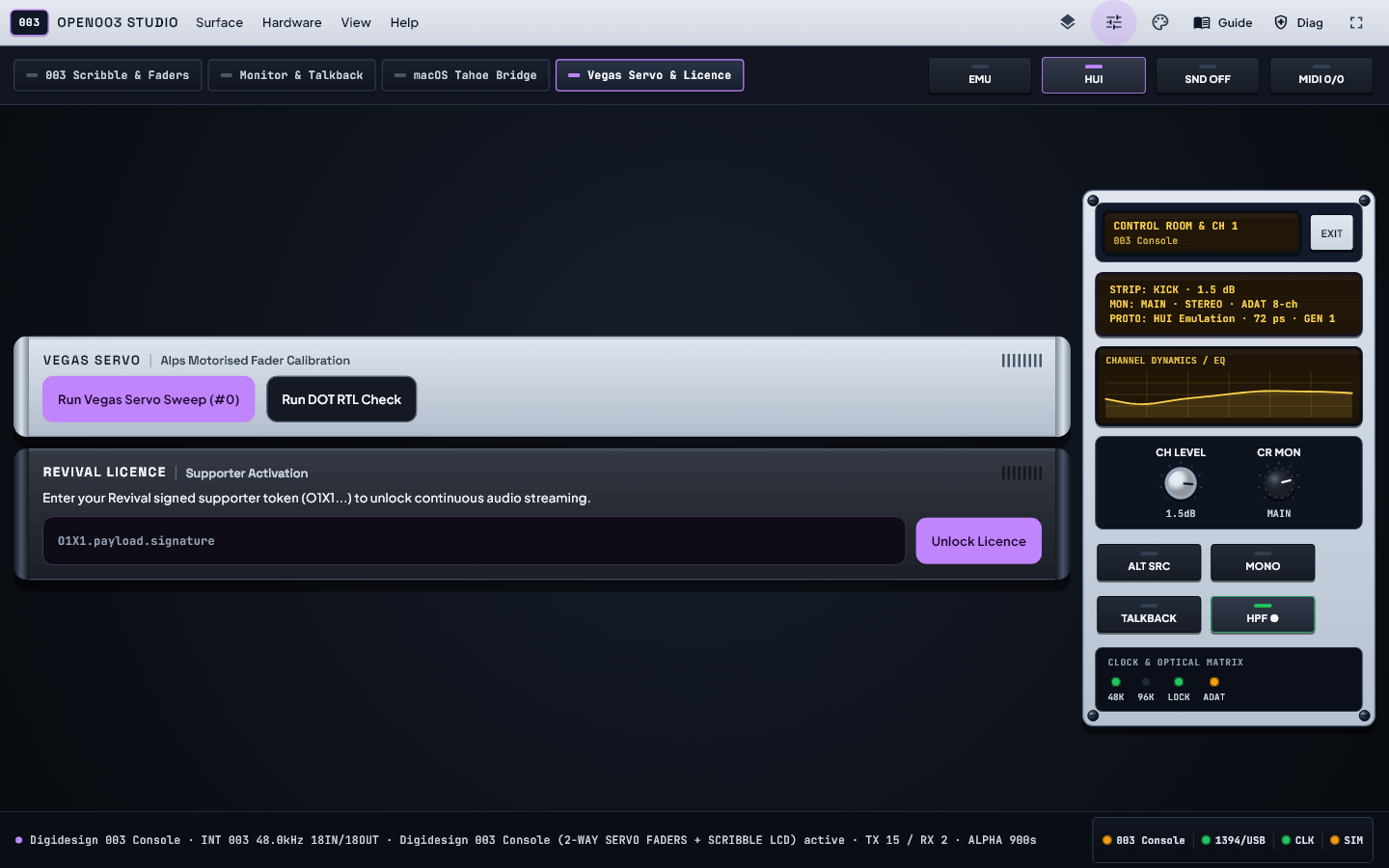
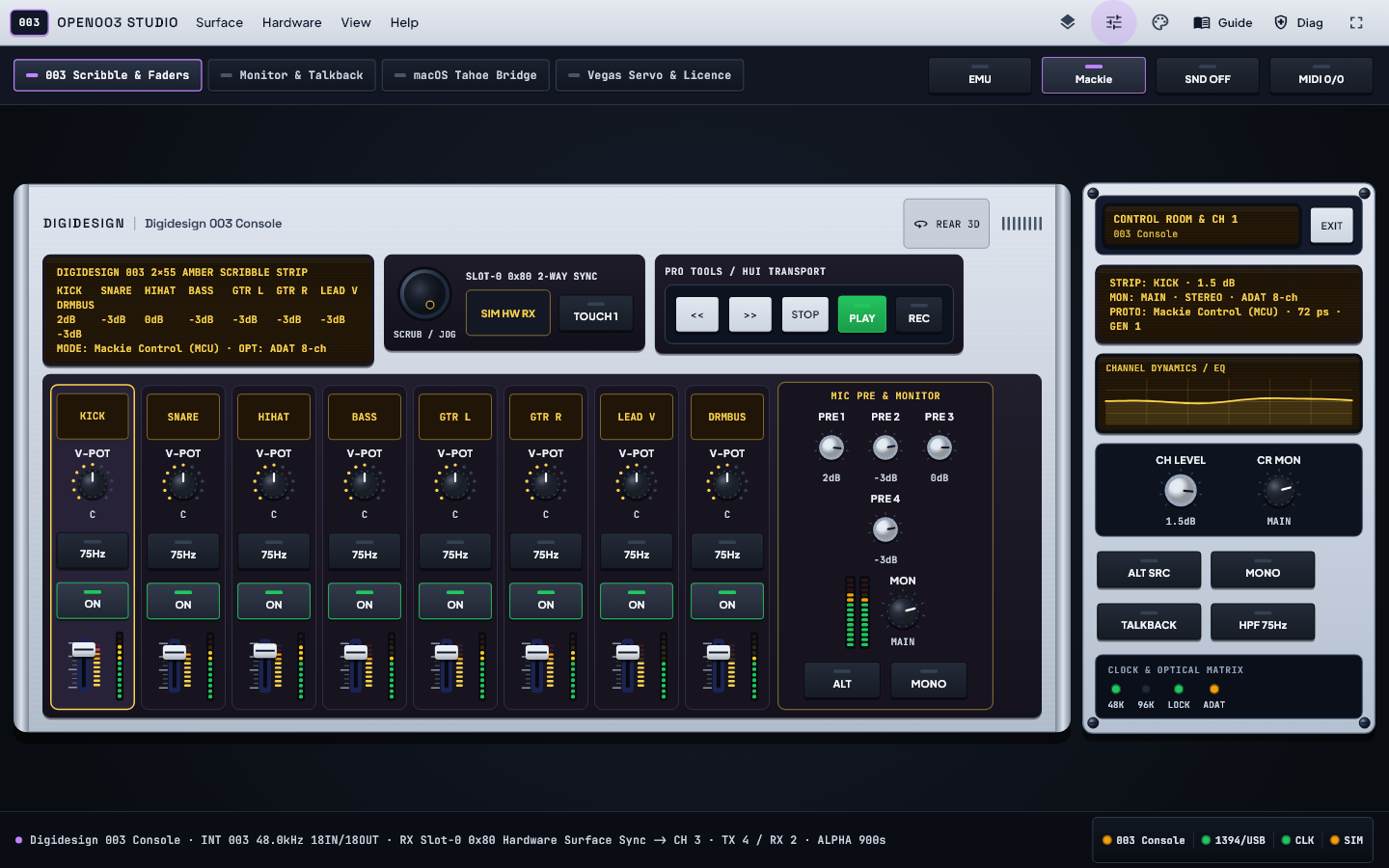
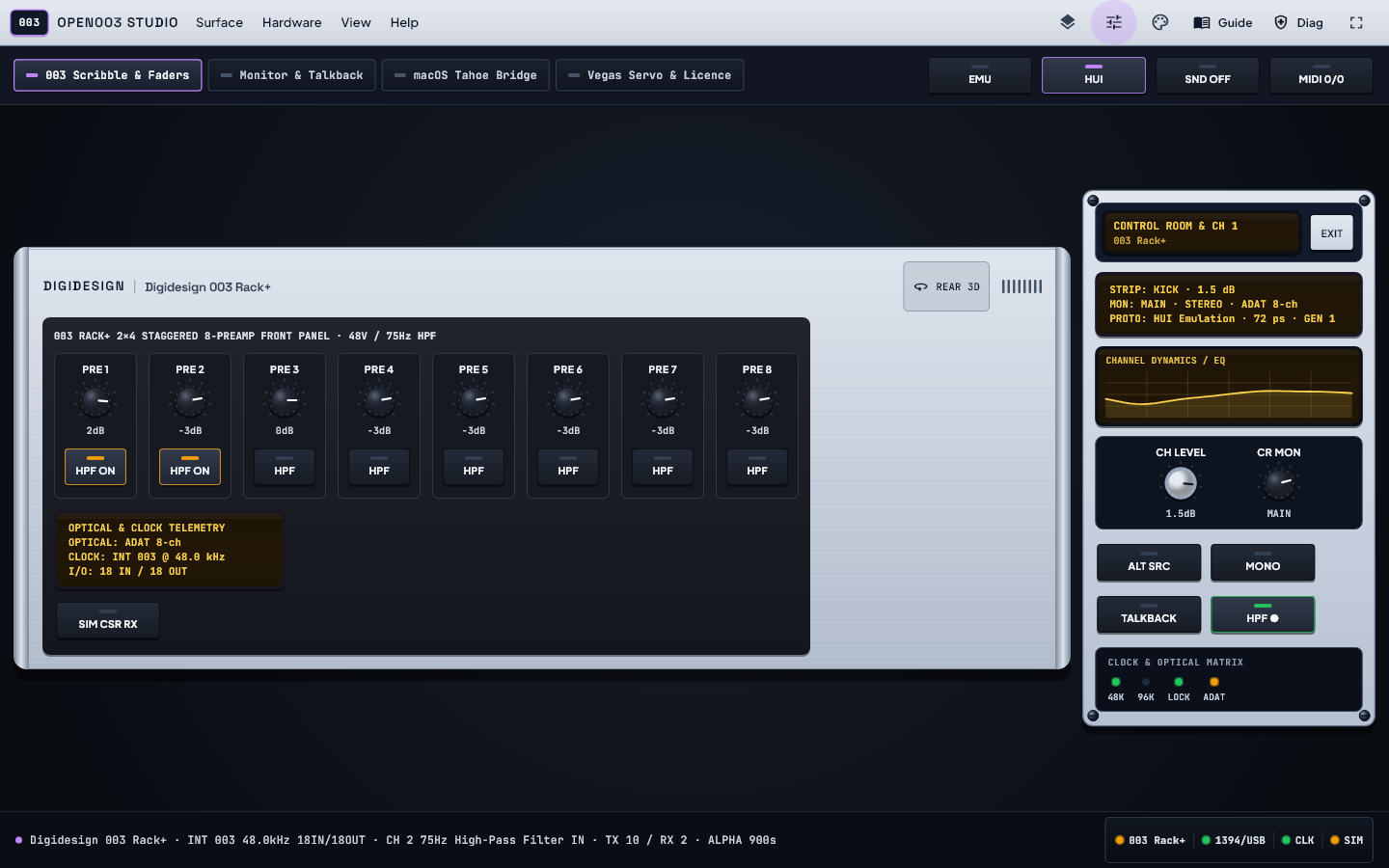
A clear desktop companion styled after your hardware, built for Windows 11, Apple Silicon and macOS Tahoe using a direct FireWire cable or a normal home network cable.

Hardware Compatibility

Supported Open003 devices

Every model listed below works across Windows 10 and 11, Apple Silicon Macs and macOS Tahoe. Own one of these units? Run our quick hardware check tool to share your model details with us.

Hardware ModelDevice Identifier44.1 / 48 kHz Audio88.2 / 96 kHz AudioControls & FeaturesStatus
Digidesign / Avid 003 Console 1394\00A07E&000001_003_CONSOLE 18 in / 18 out 10 in / 10 out 3 MIDI · Unlocks Digidesign DOT audio · 8 moving faders · Channel display screen Ready to Test
Digidesign / Avid 003 Rack+ 1394\00A07E&000002_RACK_PLUS 18 in / 18 out 10 in / 10 out 1 MIDI · 8 mic and instrument preamps plus optical digital and Word Clock sync Ready to Test
Digidesign / Avid 003 Rack 1394\00A07E&000002_RACK 18 in / 18 out 10 in / 10 out 1 MIDI · 4 mic preamps, 4 line inputs and switchable 8 channel optical digital I/O Ready to Test
Digidesign Digi 002 Console 1394\00A07E&000001_002_CONSOLE 18 in / 18 out 10 in / 10 out 3 MIDI · 8 moving faders plus standalone 8x2 digital mixer mode Ready to Test
Digidesign Digi 002 Rack 1394\00A07E&000002_002_RACK 18 in / 18 out 10 in / 10 out 2 MIDI · Rackmount 18x18 FireWire interface unlocked for all modern recording apps Ready to Test
Digidesign Command|8 Companion USB\VID_0DBA&PID_3000 Control Surface USB MIDI 2 MIDI · 8 moving fader USB surface working across every modern recording app Ready to Test
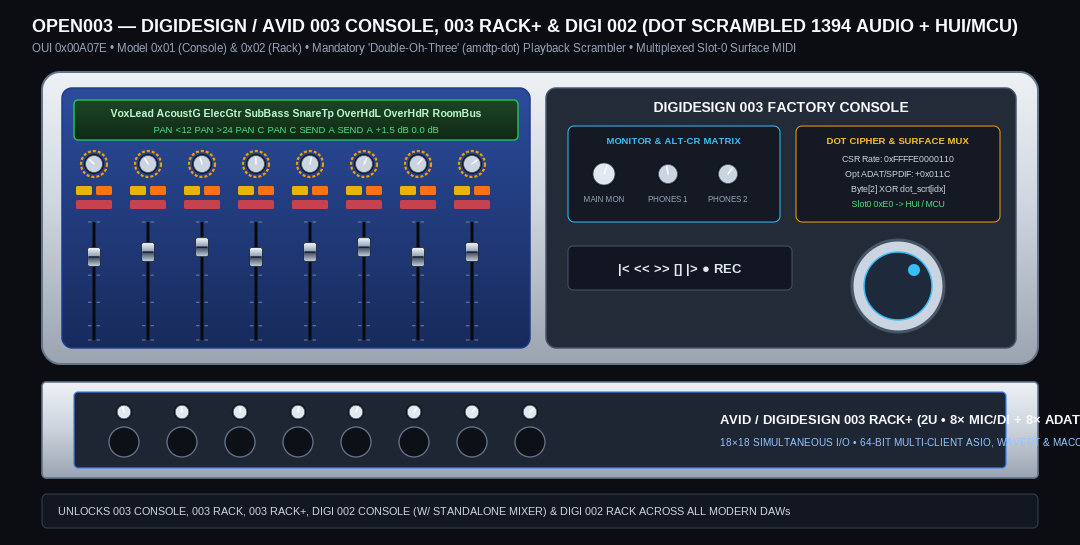
Digidesign 003 Console (8 moving faders, channel name screen, jog wheel) and 003 Rack+ studio layout

Own one of these units or belong to an owners’ group?

Run open003_bridge --probe-hardware > probe.json from the Alpha download and email the file to vanillabrand@gmail.com so we can fine tune support for your exact unit.

Join Hardware Alpha

Video Walkthrough

Open003 Studio in action

Watch a guided tour of Open003 Studio with every workspace tab, hardware control, Mac network link, colour look and connection check explained step by step.

Setup Guide

How to install and test

Alpha builds use free local test signing on Windows and Mac while we fund official certificates, and each test session runs for 15 minutes at a time. Please install only on spare test computers — never on your main work computer or on any PC with BitLocker enabled.

01 / WINDOWS SETUP

Windows 10 and 11

Run the Guided Windows Setup (Open003-Windows-x64-Alpha-Setup.exe, recommended) or unzip the portable download on a spare test PC without BitLocker.

  1. Click Yes if Windows asks for administrator permission.
  2. Let the setup assistant finish and open Open003 Studio.
02 / MAC SETUP

Mac (Catalina to Sequoia)

Installs cleanly on Apple Silicon and Intel Macs without changing Mac security settings.

  1. Run the local installer package.
  2. Open Open003 Studio and choose your hardware inside your recording or photo app.
03 / MAC TAHOE

Mac (Tahoe and newer)

Works smoothly on macOS Tahoe using a direct FireWire cable or a normal home network cable.

  1. Connect directly or enter the address of your helper computer in the Tahoe tab.
  2. Enjoy responsive studio audio and hardware controls straight away.
04 / TRY WITHOUT HARDWARE

Built In Simulator

Open Open003 Studio even before plugging in your hardware to explore every control, routing screen, colour look and health check.

What Is New

Latest Alpha release notes

Here is a plain summary of what is included in the newest Open003 Alpha download and how the installer looks after your computer.

Open003 Studio — Latest Alpha Update

Guided Windows Installer (Open003-Windows-x64-Alpha-Setup.exe) & macOS Universal2 Installer (Open003-macOS-Universal2-ALPHA.pkg).

Unlocks Digidesign 003 Console, 003 Rack+, 003 Rack, Digi 002 Console, Digi 002 Rack and Command|8 hardware with signed Windows KMDF 1394 drivers, Command|8 WinUSB support, bespoke studio/web icons, zero-flash DWM dark startup, silent launchers, multi-unit Mini Device Status LED panels, rotary monitor knobs, extruded 3D spinnable Front <-> Rear inspection, Getting Started User Guide, and unified Diagnostics Scan.
Unlock Alpha Downloads
  • Fixes false PC/Mac OS clock-rollback lockouts and unlocks valid signed Ed25519 alpha/beta/prod keys across Open01X and all Revival suites (OpenDICE, OpenRane, OpenFlextight, OpenTascam, Open003, TahoeFW)
  • Eliminates startup white frames (DWM dark cloaking), hides background probes & PowerShell windows, updates Open003Asio.dll launcher paths, adds bespoke installer/web favicons, multi-unit Mini Device LED status panels, Control Room Main & Cue rotary knobs, momentary trigger buttons, 3D extruded spinnable Front <-> Rear rig inspection, and unified Diagnostics Scan with 1-click Email Draft submission.
  • Ships the signed Windows 10/11 HVCI KMDF Open003FwBus.sys driver plus the inbox WinUSB Open003Cmd8.inf driver for Digidesign Command|8 surfaces.
  • Adds SetupDi PnP Interface detection, live telemetry polling, interactive Driver & Bridge Diagnostics, smooth console transitions and motorised fader glide.
  • Opens up all 18 audio inputs and outputs alongside MIDI ports and optical ADAT/S/PDIF switching for any modern DAW.
  • Includes built-in SHA-256 verified updates and clean upgrades while keeping your saved studio presets safe.

Each Alpha test session runs for 15 minutes at a time (simply restart the app to carry on testing) and remains active until 25 Dec 2026. The installer automatically removes any older test versions first while keeping your saved settings.

Alpha Access

Sign up and download the Alpha

Register your hardware setup below to receive your DIGI-ALPHA-... login code and unlock Alpha builds. Registrations alert vanillabrand@gmail.com directly.

Alpha Downloads (15 minute builds)

Locked until you register or log in.

Download links for Windows (.exe or .zip), Mac (.tar.gz or .pkg) and Linux / Bridge notes unlock immediately after registration.

Back Open003

Donate $20.00 towards the full release

Open003 is funded independently while we cover official Microsoft and Apple driver signing certificates. Every dollar you donate now comes 100% off your final full release price.

EARLY SUPPORTER PERKS

First access and full price discount

  • Priority hardware tuning: Supporters get priority help tuning their exact hardware model.
  • 100% credited off launch price: Your full donation is discounted straight off your unrestricted full licence.
STRIPE CHECKOUT

Choose your donation amount

Support

Report a bug or send hardware feedback

Testing an Alpha build or have a Device Manager hardware ID to share? Send a note below directly to vanillabrand@gmail.com.